Coding from a Coffee Shop? Secure Your Database with Tailscale

You're building features for the Example App from your favorite coffee shop. You need to connect to the production database to debug a weird order issue.
But wait—you're on public Wi-Fi. Your IP address changes every time you reconnect.
Do you open port 3306 to the world? No. Do you constantly update your firewall rules with your new IP? Tedious. Do you set up a complex OpenVPN server? Overkill.
Enter Filess.io + Tailscale.
The Pain: The "Dynamic IP" Dance
If you want to access a private database securely from a remote location, you typically have two bad options:
- The "Insecure" Way: Open the firewall to
0.0.0.0/0. Now hackers can brute-force your root password. - The "Annoying" Way: Log in to your cloud provider console, find your current IP (which changes hourly), add it to the whitelist, and repeat this every time you move.
And if you have a team of 10 developers? Good luck managing that whitelist.
The Solution: A Private Mesh Network
With Filess.io's native Tailscale integration, your database joins your private network as if it were a device on your LAN.
- Go to your database Settings.
- Enable Tailscale.
- Authenticate with your Tailscale account.
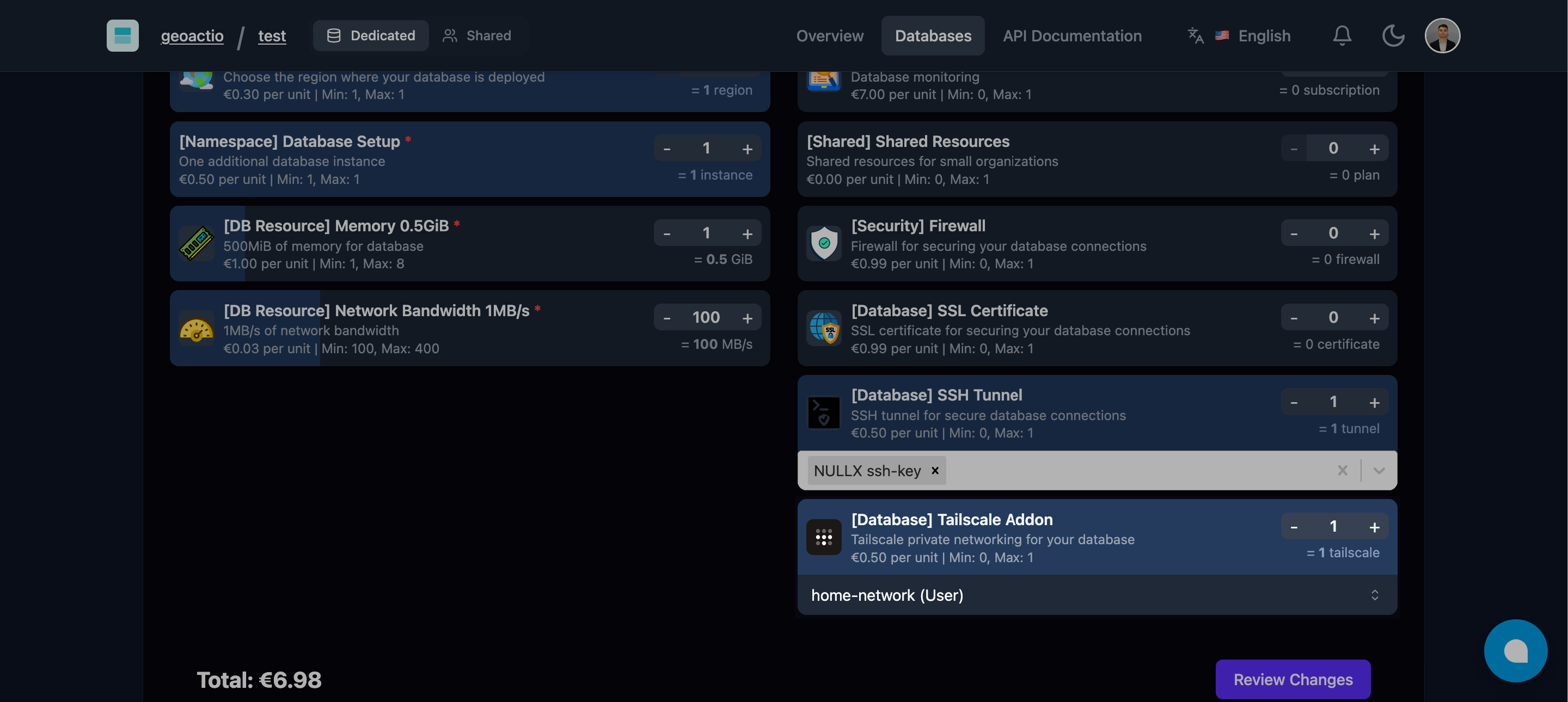
Your database gets a private IP (e.g., 100.x.y.z) that is only accessible to you and your team.
Connecting to Example App
Now, from your laptop in the coffee shop:
# 1. Install Tailscale
brew install tailscale && sudo tailscale up

# 2. Connect securely (Magic!)
mysql -h 100.101.102.103 -u user -p filess_example
No ports opened to the internet. No firewall rules to update. Just secure, encrypted WireGuard® tunnels.
Why Developers Love This
- Zero Config VPN: No certificates to manage, no ports to forward.
- Team Access: Grant access to your database using your existing identity provider (Google, Okta, GitHub).
- CI/CD Secure Access: Let your GitHub Actions runners connect to your DB securely without public exposure.
How It Works
Tailscale builds a peer-to-peer mesh network. When you connect to your database:
- Your laptop and the Filess database server exchange keys.
- They establish a direct, encrypted connection (NAT traversal included).
- Traffic flows directly between them, not through a central bottleneck.
Secure Your Workflow
- Install Tailscale on your dev machine.
- Enable Tailscale on your Filess database.
- Close Public Ports: Disable public access entirely for maximum security.
Work from anywhere, securely.