Stop Hackers at the Door: Securing Your E-Commerce DB in 30 Seconds

Your Example App store is growing. You have thousands of customers, which means you have thousands of emails, addresses, and purchase histories.
But there's a problem. Your database port (3306) is open to the entire internet.
Any script kiddie with a port scanner can find your server, start brute-forcing passwords, or exploit a zero-day vulnerability.
You need to lock it down, now.
The Pain: The iptables Headache
Securing a database server manually involves messing with Linux kernel firewall rules (iptables or ufw). It's a rite of passage for sysadmins, but a nightmare for developers.
To allow just your office IP and your app server, you have to SSH in and run commands like this:
# Install persistent rules so they survive a reboot
sudo apt install iptables-persistent

# Allow your office IP (hope you don't have a dynamic IP!)
sudo iptables -A INPUT -p tcp -s 79.148.34.11/32 --dport 3306 -j ACCEPT

# Allow your app server subnet
sudo iptables -A INPUT -p tcp -s 10.0.0.0/24 --dport 3306 -j ACCEPT

# BLOCK EVERYTHING ELSE (Don't lock yourself out of SSH!)
sudo iptables -A INPUT -p tcp --dport 3306 -j DROP
One wrong move, and you lock yourself out of your own server. Or worse, you think you blocked everyone, but you didn't.
The Solution: Filess.io Cloud Firewall
With Filess.io, you don't touch the command line. You manage security where it belongs: in your dashboard.
- Go to your database Settings.
- Enable the Firewall addon.
- Add your trusted IPs or CIDR blocks.
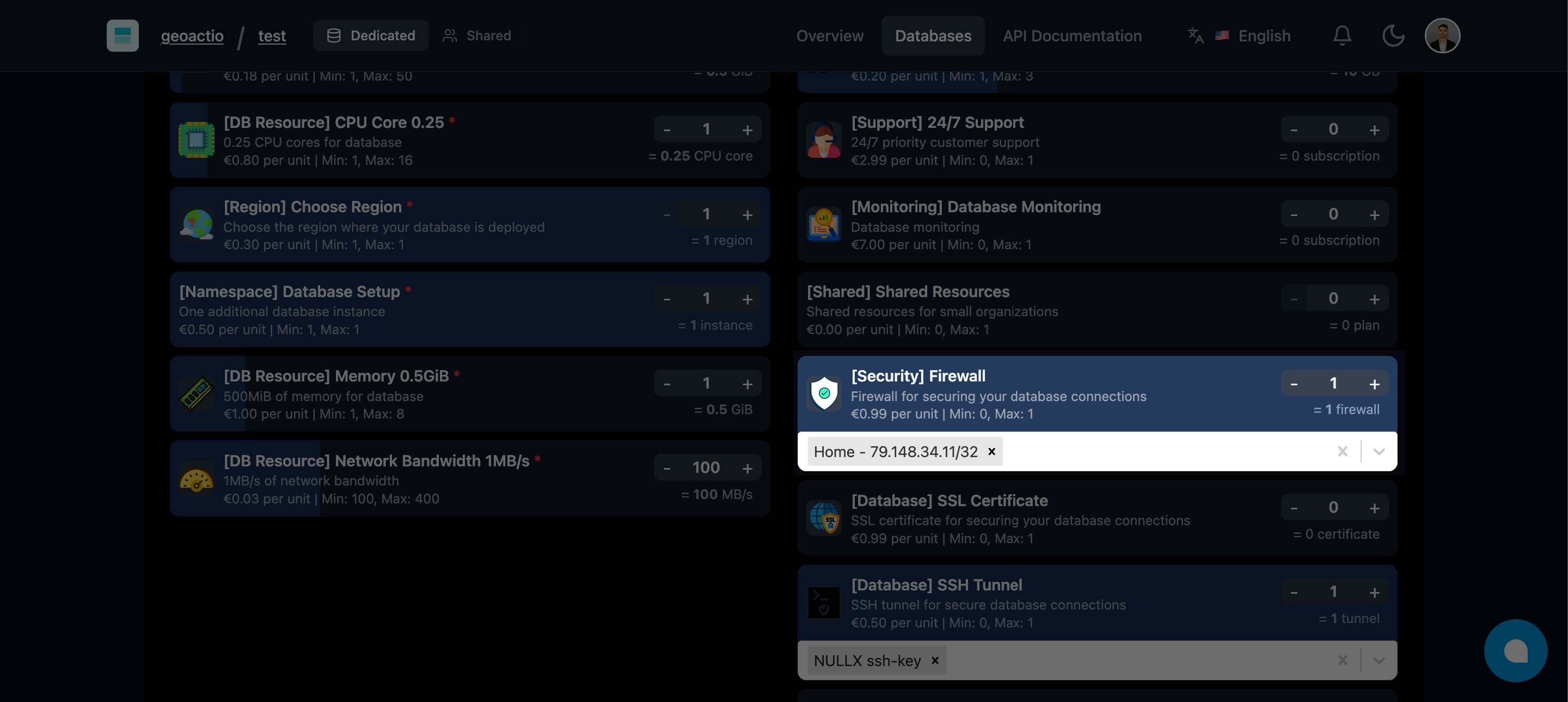
Done.
Our infrastructure instantly propagates these rules to the edge. Any connection attempt from an unauthorized IP is dropped before it even touches your database server.
Protecting the Example App
For our example-app, we only want two things talking to the database:
- Our App Server:
10.0.0.0/24(Private Network) - Our Developer VPN:
79.148.34.11/32(For debugging)
We add these two rules in Filess, and suddenly, the rest of the internet ceases to exist for our database.
Why It's Better Than iptables
- Zero Risk of Lockout: You manage rules via our API/UI, not the server's network stack. You can always log in to Filess to fix a mistake.
- Instant Updates: Rules apply in seconds without restarting the database.
- DDOS Protection: By blocking traffic at the infrastructure level, we save your database CPU from having to process handshake attempts from attackers.
Security Checklist for Your Store
- Enable Firewall: Whitelist only your app servers.
- Use SSL/TLS: Filess enforces this by default.
- Rotate Credentials: Use our API to rotate passwords regularly.
Don't leave your front door open.