No More 3 AM Wake-Up Calls: Stress-Free Database Upgrades

It's 2:00 AM. Your alarm goes off.
Why? Because the Example App needs more RAM to handle the upcoming holiday traffic, and you have to manually resize the database server during the "low traffic" window.
You groggily open your laptop, SSH in, stop the service, resize the VM, restart the service, and pray it comes back up.
This is the "old way" of operations. It burns out engineers and risks human error.
Filess.io fixes this with automated Maintenance Windows.
The Pain: The Manual Upgrade Dance
Upgrading a database manually is a high-stakes choreography:
- Announce Downtime: Tell your users the site will be slow or down.
- Snapshot: Take a backup (just in case).
- Stop Traffic: Put the app in maintenance mode.
- Perform Upgrade:
apt-get upgradeor resize the instance. - Restart & Verify: Check logs, check connections.
- Resume Traffic: Cross your fingers.
If anything goes wrong, you're debugging at 3 AM while losing money.
The Solution: Set It and Forget It
With Filess.io, you define when you want changes to happen, and we handle the execution automatically.
- Go to your database Maintenance tab.
- Set your preferred window (e.g., Sunday at 02:00 UTC).
- Request an upgrade (e.g., "Scale to 16GB RAM").
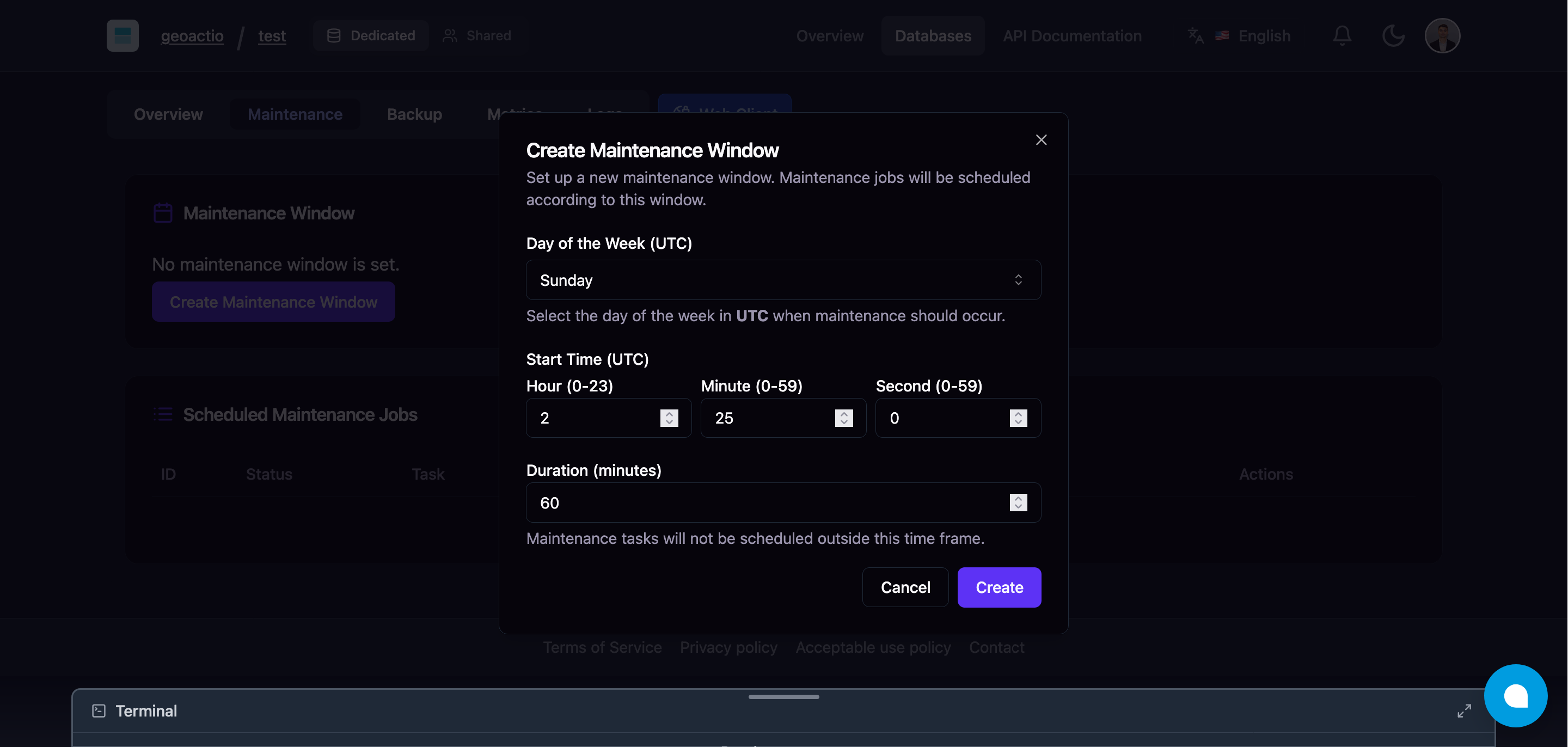
That's it.
Filess queues the change. When Sunday at 02:00 rolls around, our orchestration engine:
- Spins up a new replica with the new specs.
- Syncs data.
- Performs a seamless failover (often with zero downtime).
- Decommissions the old node.
You wake up on Sunday morning to a more powerful database, without having lifted a finger.
Real-World Example: The Holiday Rush
Imagine our example-app is expecting 10x traffic for a flash sale next week.
Without Filess: You spend the weekend stressing about capacity planning and manual resizing.
With Filess: You click "Upgrade Plan" on Friday afternoon. You set the maintenance window for Saturday 01:00 AM. You go enjoy your weekend. By the time the sale starts, your database is ready.
Why It Matters
- Predictability: Your team knows exactly when changes happen.
- Safety: Our automated workflows have rollback capabilities built-in.
- Sanity: No more 3 AM alarms for routine tasks.
Best Practices for Maintenance
- Pick Low-Traffic Times: Use your analytics to find the quietest hour.
- Communicate: Even with zero-downtime upgrades, it's good practice to notify stakeholders.
- Test First: Apply changes to a staging environment first (easy to clone in Filess!).
Stop babysitting your database.